
In this post, we explained why WiFi struggles in Irish homes—usually a combination of thick stone walls, foil-backed insulation, and distance.
The next logical question we get asked is: "Okay, so what hardware actually fixes it?"
It’s a natural reaction to head to the local electrical retailer. You’ll see rows of flashy boxes promising "Turbo Speeds," "Whole Home Coverage," and "Killer WiFi." You might see familiar brands like TP-Link, or various "Powerline" plugs that claim to send internet through your sockets.
While these consumer gadgets are convenient to buy, in our experience, they often act as a sticking plaster rather than a cure.
We use enterprise-grade equipment from Ubiquiti (UniFi). Here is why we choose professional hardware over the DIY options found on the high street.
1. The "Wireless Echo" (Why Wireless Mesh & Boosters Lose Speed)
The most common upgrade people buy is a "Whole Home Mesh System" (often sold as a 3-pack mesh units) or a standard WiFi booster.
The Setup: In these systems, one unit acts as the "Base Station" (plugged into your modem), while you place the other "Satellite" units around the house to extend coverage.
The Problem: Unless you run a cable to them, those satellite units still have to communicate wirelessly with the Base Station.
The Science Bit: Radios generally can’t talk and listen on the same frequency at the same time. It’s like a Walkie-Talkie: you can’t speak and hear at the same time. This creates a "wireless echo." Every time the signal "hops" wirelessly from a satellite unit back to the base station, you typically lose about 50% of your speed.
You might be paying for 500 Mbps broadband, but after two wireless hops to reach the back bedroom, you will likely see significant speed drops.
2. The "Powerline" Trap (Why Your Plugs Disappoint)
Another popular option we see customers trying is Powerline Adapters. These are the plugs that promise to send internet through your electrical cables.
The Theory: It sounds great—using your existing electrical wiring to send data upstairs without drilling holes.
The Reality: Electrical cables were designed to carry electricity, not complex internet data.
- Old Wiring: If your home's wiring is older, speeds can crawl.
- Noisy Neighbours: Appliances like washing machines, tumble dryers, and even phone chargers introduce "electrical noise" into the circuit.
We often see connections drop out simply because the washing machine went into a spin cycle. It is a "hit or miss" technology.
3. The Professional Option: The Ubiquiti "UniFi" System
We take a different approach. We aim to hard-wire our Access Points.
By running a dedicated data cable from your main router directly to a Ubiquiti Access Point, we bypass the airwaves and the electrical wiring entirely. The Access Point doesn't need to "repeat" a weak signal; it gets a direct, 100% full-speed feed from the source.
4. The Right Tool for the Right Job
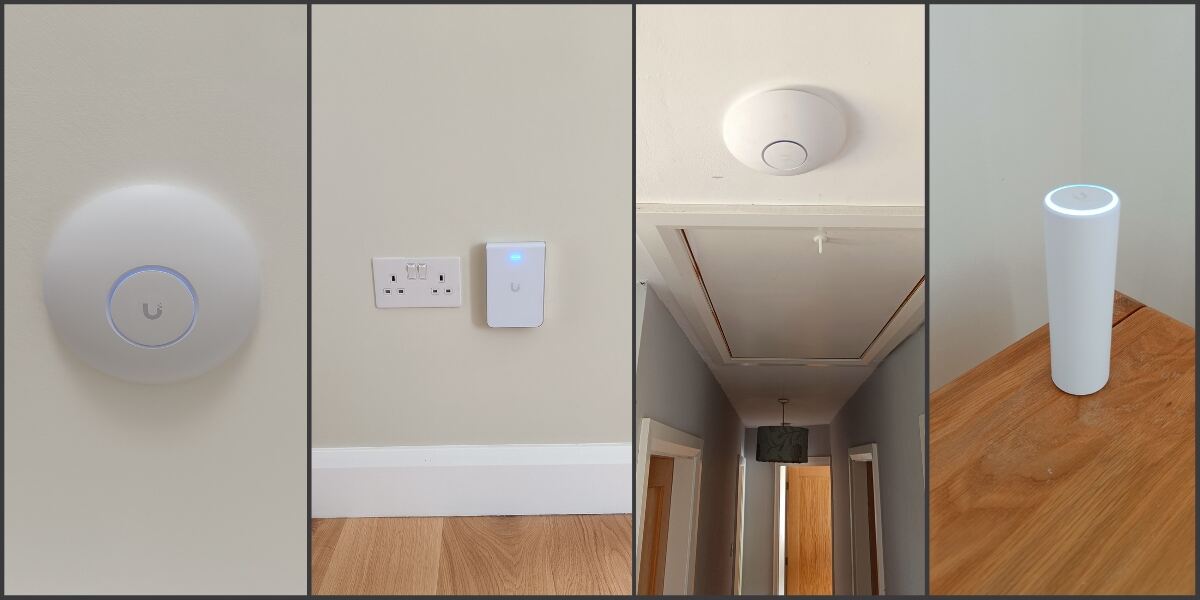
One reason we rely on the UniFi ecosystem is versatility. A "one-size-fits-all" plastic box rarely works for every Irish home. We mix and match devices to suit the aesthetics and layout of your building:
The Ceiling Solution (U6 & U7 Pro)
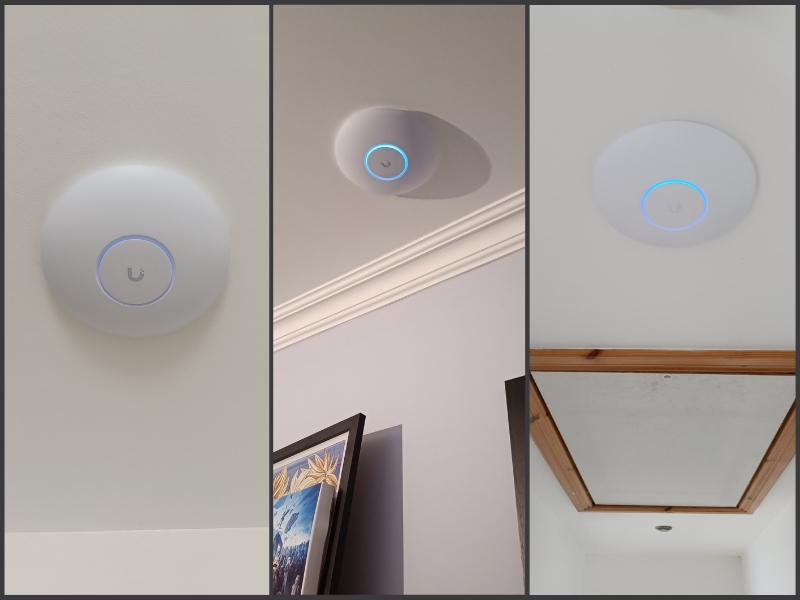
- Best for: Large open spaces, hallways, and main living areas.
- Why: Mounting it on the ceiling allows the signal to "rain down" into the room, bypassing furniture and clutter entirely.
- The Vital Stats: In an open space, it can cover around 140 m² (1,500 ft²)*—that's about the entire ground floor of a standard semi-detached house. It handles 250+ connected devices, so even if you have the whole extended family over for Christmas dinner, or you are a business with a large number of users, nobody is fighting for bandwidth.
The Discreet Option (U6 & U7 In-Wall)
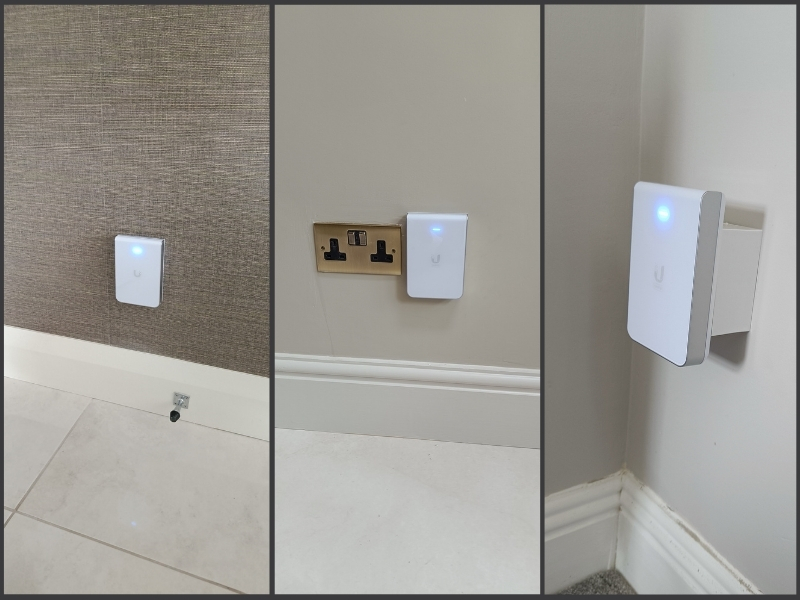
- Best for: Home offices, hotel rooms, or behind TVs.
- Why: These sleek units mount directly onto the wall, replacing a standard data faceplate. They provide excellent WiFi to the room and include built-in Ethernet ports at the bottom—perfect for hard-wiring a PC or games console directly.
- The Vital Stats: Don't let the small size fool you. In an open space, it can cover a respectable 115 m² (1,250 ft²)*, perfect for sending a strong signal throughout your building. Like the Pro, it can also handle 250+ devices.
The Flexible All-Rounder (U6 & U7 Mesh)
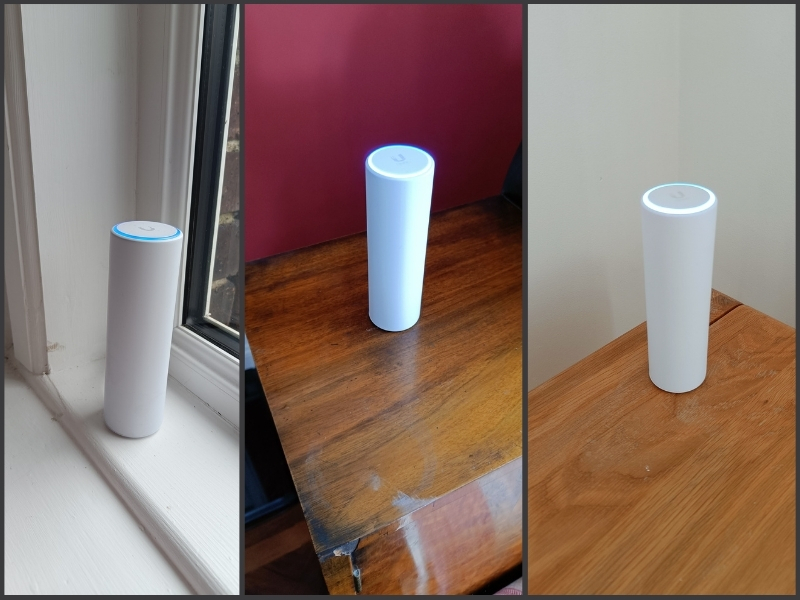
- Best for: Bookshelves, difficult corners, or even outdoors.
- Why: It’s about the size of a tall Coke can, sleek, and weatherproof. We can mount it on a pole in a garden shed or sit it on a shelf where ceiling mounting isn't an option.
- The Vital Stats: Despite its compact shape, it delivers the same punch as the Pro, with a potential 140 m²* of coverage in an open space. It’s rated IPX5 weather-resistant, meaning it can happily sit on a patio or in a dusty workshop while keeping your Spotify streaming smooth.
*Coverage will depend on obstacles such as walls etc.
Summary Table:
| Feature | Wireless "Boosters" | Powerline Adapters | Professional UniFi System |
|---|---|---|---|
| How it connects | Wireless "Hops" | Electrical Wiring | Dedicated Data Cable |
| Speed Impact | Loses ~50% per hop | Unpredictable / Interference | 100% Speed Delivery |
| Reliability | Occasional rebooting | Affected by appliances | "Set and Forget" |
To Conclude
We use Ubiquiti equipment because we believe in fixing problems, not just patching them.
By choosing the right Access Point for the specific room—whether it’s a ceiling Pro or an in-wall unit—we ensure your WiFi is fast, invisible, and reliable.
Contact Us
We've a variety of ways for you to contact us. Click on the button below to view the options
Contact Us