
Picture this: It’s 8:15 on a damp Tuesday morning.
If you run a busy crèche, parents are already arriving to drop off their toddlers. If you’re a school principal, the buses are pulling up, and the teachers are trying to get into their classrooms.
Then, the phone rings. A key member of staff is running late, and they have the only set of keys for the side door. Or worse, you realise a master key has gone missing over the weekend, and you’re looking at a bill of hundreds of euros to get every lock in the building changed by the local locksmith.
It’s a massive headache, and to be fair, it’s one you don’t need.
Whether you are managing a school, a childcare facility, a local shop, or a bustling office, there is a much better way to manage who comes and goes. It’s called Access Control, and while it sounds like high-tech security jargon, the concept is actually very simple.
Let’s look at how it works, why it beats a traditional brass key every time, and how it keeps Irish businesses running smoothly.
How Access Control Works (The Core Setup)
At its simplest, access control is just a digital gatekeeper. Instead of using a traditional metal key to mechanically turn a lock, you use a digital credential to tell an electronic lock to open.
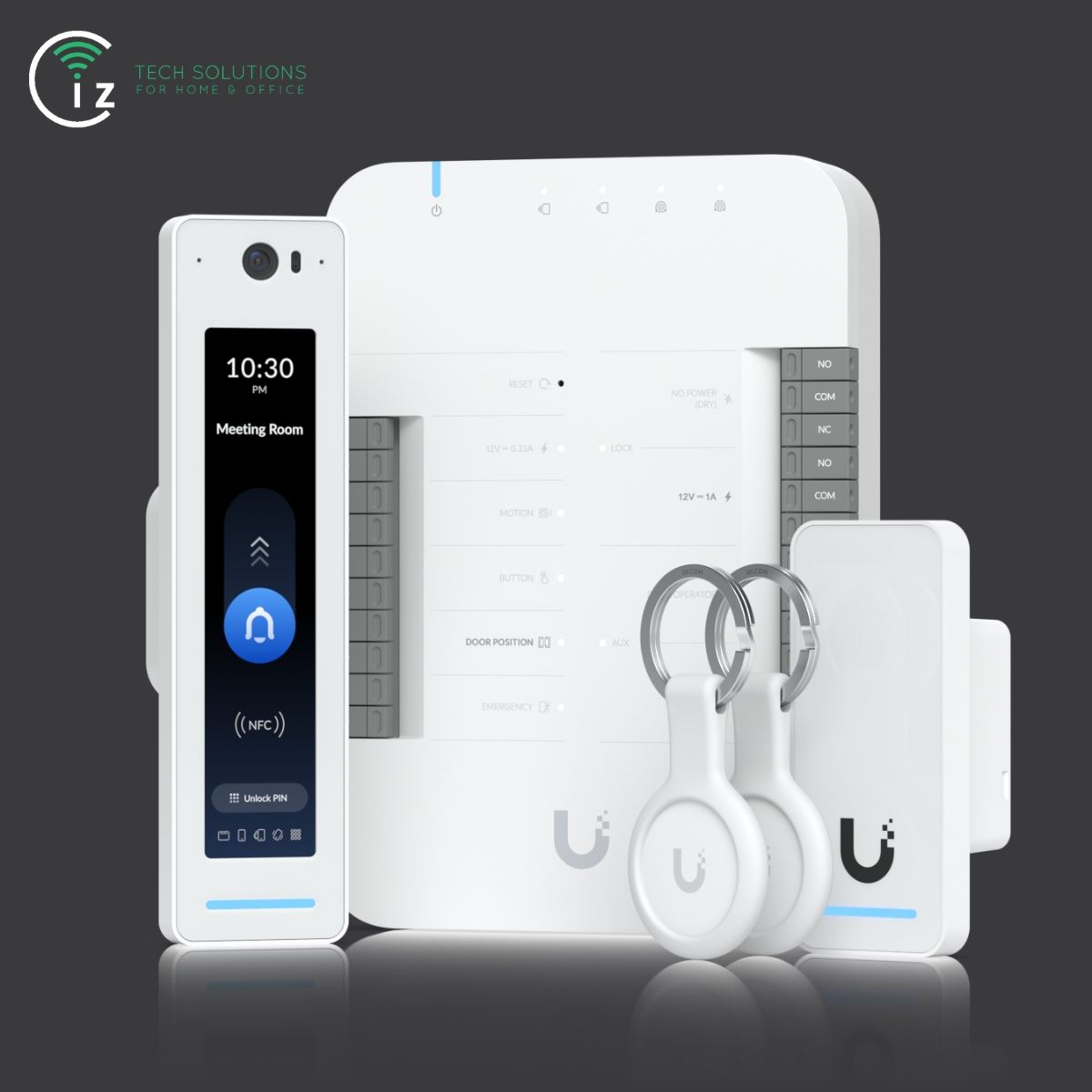
Behind the scenes, three key physical components work together to make this happen:
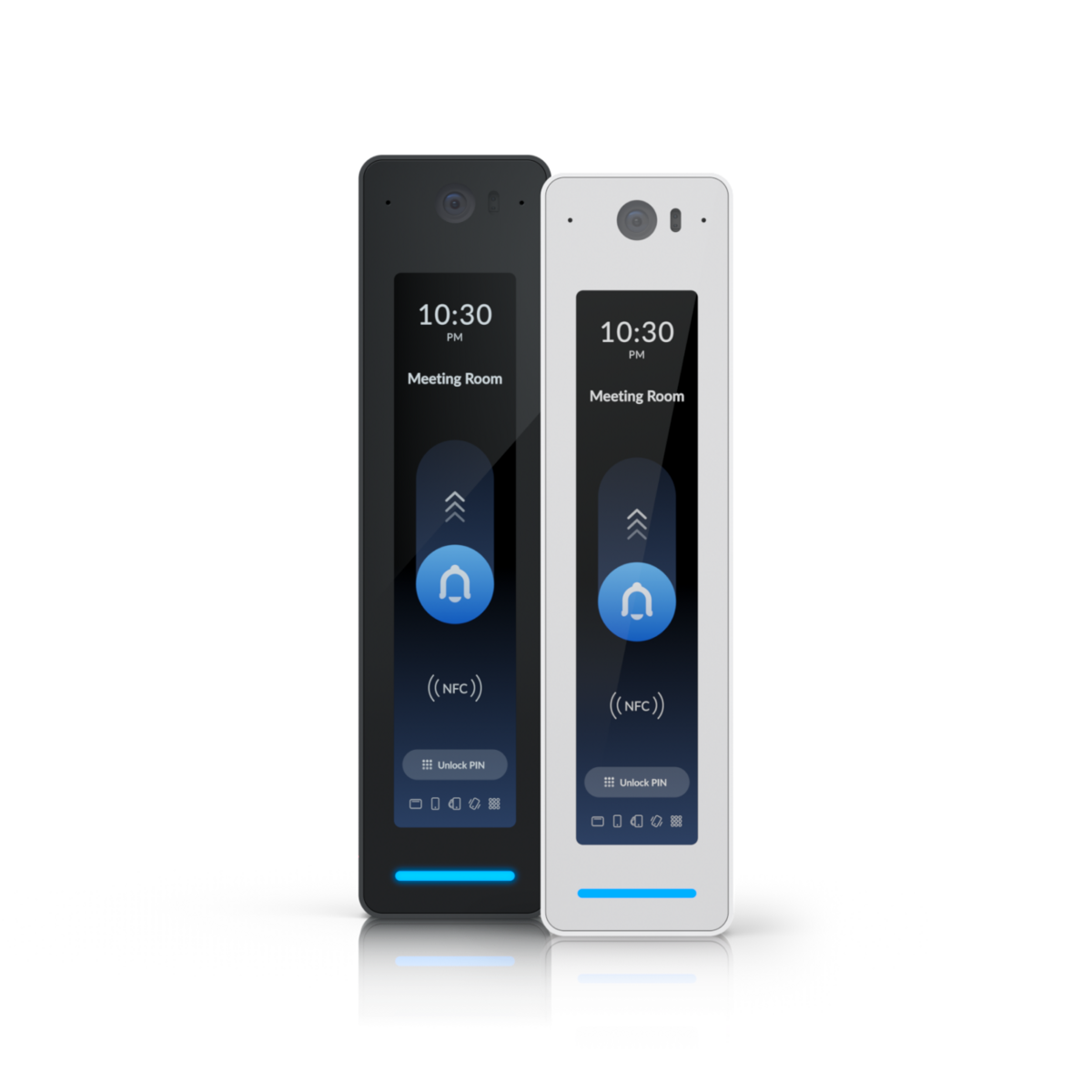
The Reader (The Sensor): Mounted next to the door on the outside. This is what you tap your fob against. It reads your unique digital signature and passes that data along.
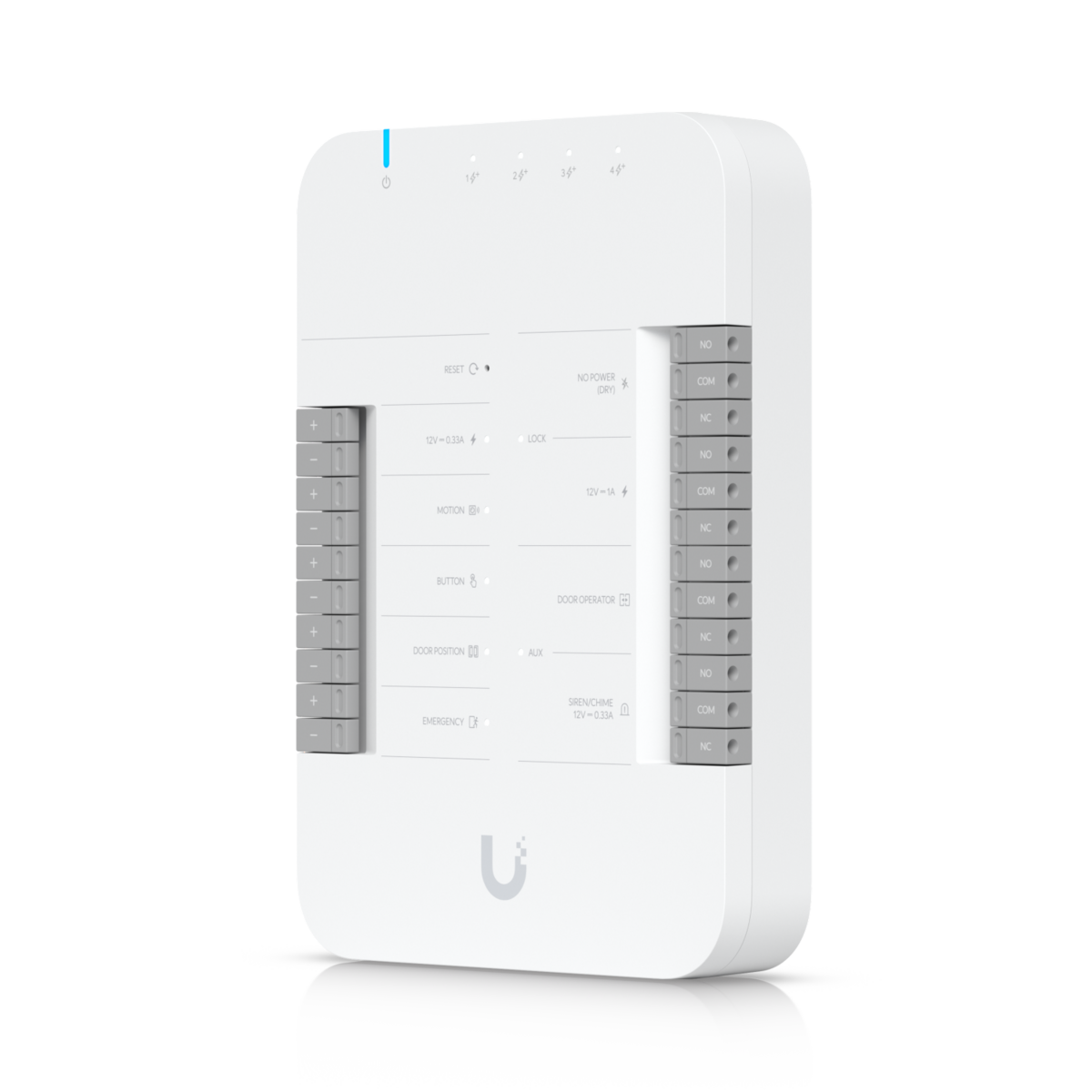
The Controller (The Brains): Usually hidden away in a comms cabinet or a utility room, this dedicated control panel is the central computer for the system. It holds the database of who is allowed in, where they can go, and at what times.
The Lock: An electronic lock—most commonly a powerful magnetic lock (maglock)—that holds the door firmly shut until the "brains" tell it to release.
When you tap your credential, the reader sends the data to the control panel. The panel instantly checks its rules ("Is Patrick allowed through this door at 8:15 AM?") and, if the answer is yes, cuts power to the magnetic lock with a satisfying click.
Your Digital Keys: The Entry Options
Because the system is digital, you aren't restricted to a single key style. You can choose the entry method that best suits your daily routine:
- Plastic Key Fobs: A small, durable plastic token that fits neatly on your keyring. This is the gold standard for school staff or creche workers who need quick, tap-and-go access.
- Swipe Cards: Looks just like a credit card and can be worn on a lanyard. This is the classic choice for busy, modern offices.
- Keypad PINs: A simple code typed into a wall-mounted reader. This is excellent for low-security back doors or as a backup for staff who forget their fobs.
- Smartphones: An app on your phone that unlocks the door securely via Bluetooth as you walk up to it. No physical cards required.

The Brain: Taking Control of Your Building
Unlike a physical lock, which only knows how to do one thing, a digital system is packed with smart software features that solve real daily headaches.
1. Remote Management (The Coordinator)
Traditional keys require you to be physically present. If a staff member loses their keys on a Saturday, you have to drive in to secure the building.
With modern cloud-based software, you can manage everything securely from an app on your smartphone or laptop. If someone loses a fob, you simply log in, find their name, and click "Deactivate." That lost fob instantly becomes a useless piece of plastic. You can then hand them a new one when they arrive on Monday morning.
2. Time-Based Access (Controlling the Clock)
You don’t always want your doors accessible 24/7. Access control allows you to programme specific rules for different people.
For example, you can set the cleaner's fob to only work between 6:00 PM and 9:00 PM on weekdays. If they try to tap in on a Sunday afternoon, the system will politely deny them entry. You can also programme your main lobby doors to automatically unlock during the morning drop-off rush, and then automatically lock tight for the rest of the day.
3. Audit Trails & Detailed Reporting
If something goes missing from the stockroom over the weekend, you don’t have to play detective. The system keeps a continuous, digital audit trail of every single event.
With a few clicks, you can run clean, easy-to-read reports. You can verify exactly whose fob was used to open a specific door, see the exact hours a night-shift contractor was on-site, or list every active fob currently assigned to your staff. It gives you complete transparency and peace of mind.
Managing Your Visitors: Integrated Intercoms
Fobs and keypads are great for your regular staff, but what about the courier delivering a package, the parent dropping off a lunchbox, or a service technician?
This is where an integrated intercom system comes in. Installed at your main gate or front door, a video intercom allows visitors to press a button and speak directly to reception.

Reception can see a crystal-clear live video feed of the visitor on a desk monitor or phone app. Once they verify who it is, they simply press a button on their screen to release the lock. It means your doors stay securely locked to the public, but remain welcoming to guests.

Where It Works Best
We install these systems across Ireland, and we see firsthand how they transform the daily run of play for different organisations:
1. Childcare Facilities & Creches
In a creche, safety is the absolute number one priority. Under TUSLA guidelines, you must ensure that unauthorised people cannot wander into the building, and just as importantly, that adventurous toddlers cannot wander out.
An access control system keeps the main entrance locked at all times. Staff use fobs to move freely, while parents use the video intercom to be identified and buzzed in.
2. National Schools
The days of leaving the front door of a school wide open during the day are long gone. Modern safeguarding requirements mean schools need to control exactly who enters the corridors.
By installing fob readers on the main doors, staff can move around without carrying a massive bunch of brass keys. Visitors are naturally guided to a single entrance where they must use the intercom to be let in by the school secretary, keeping the classrooms safe and quiet.
3. Shops & Offices
If you run a shop or office, you have delivery drivers arriving at the back door, staff starting at different times, and areas like server rooms or stockrooms that should be off-limits to customers.
With access control, you can restrict certain doors so only managers can access high-value areas. If a staff member leaves the business, you don’t have to worry about them keeping a copy of the physical keys—you simply delete their digital access profile in seconds.
Choosing the Right Access Control System
When selecting an Access Control System, you may want to consider the following factors:
- Scale of the Property: The size and complexity of your property will influence the system's requirements.
- Level of Security Required: Determine the appropriate security level for different areas, such as high-security zones or general access areas.
- Budget: Consider the initial cost of the system, as well as ongoing maintenance and operational expenses.
- Integration with Other Systems: Ensuring compatibility with other security systems, such as CCTV and Intruder Alarm Systems, for a comprehensive security solution.
Closing Remarks
Every building in Ireland is built differently—from thick stone walls in older rural schools to modern shopfronts with double glazing. That’s why we don’t believe in a "one size fits all" setup.We start by looking at your building's layout, discussing how your staff actually use the space, and finding the neatest way to run the cables. We install everything professionally—from the readers at the door to the physical control panel in the office—set up the software, and make sure your team feels 100% comfortable using it before we pack up our tools. It is a reliable, "set and forget" solution that just works.
If you are tired of chasing spare keys, or you want to make your school, creche, or shop more secure, give us a shout. We’d be delighted to have a look at your setup and chat about what would work best for you.
Contact Us
We've a variety of ways for you to contact us. Click on the button below to view the options
Contact Us