1. Using the Ajax App
The Ajax Security System app is designed to be simple and intuitive. This guide will walk you through the four main tabs located at the bottom of your screen so you can manage your security with confidence.
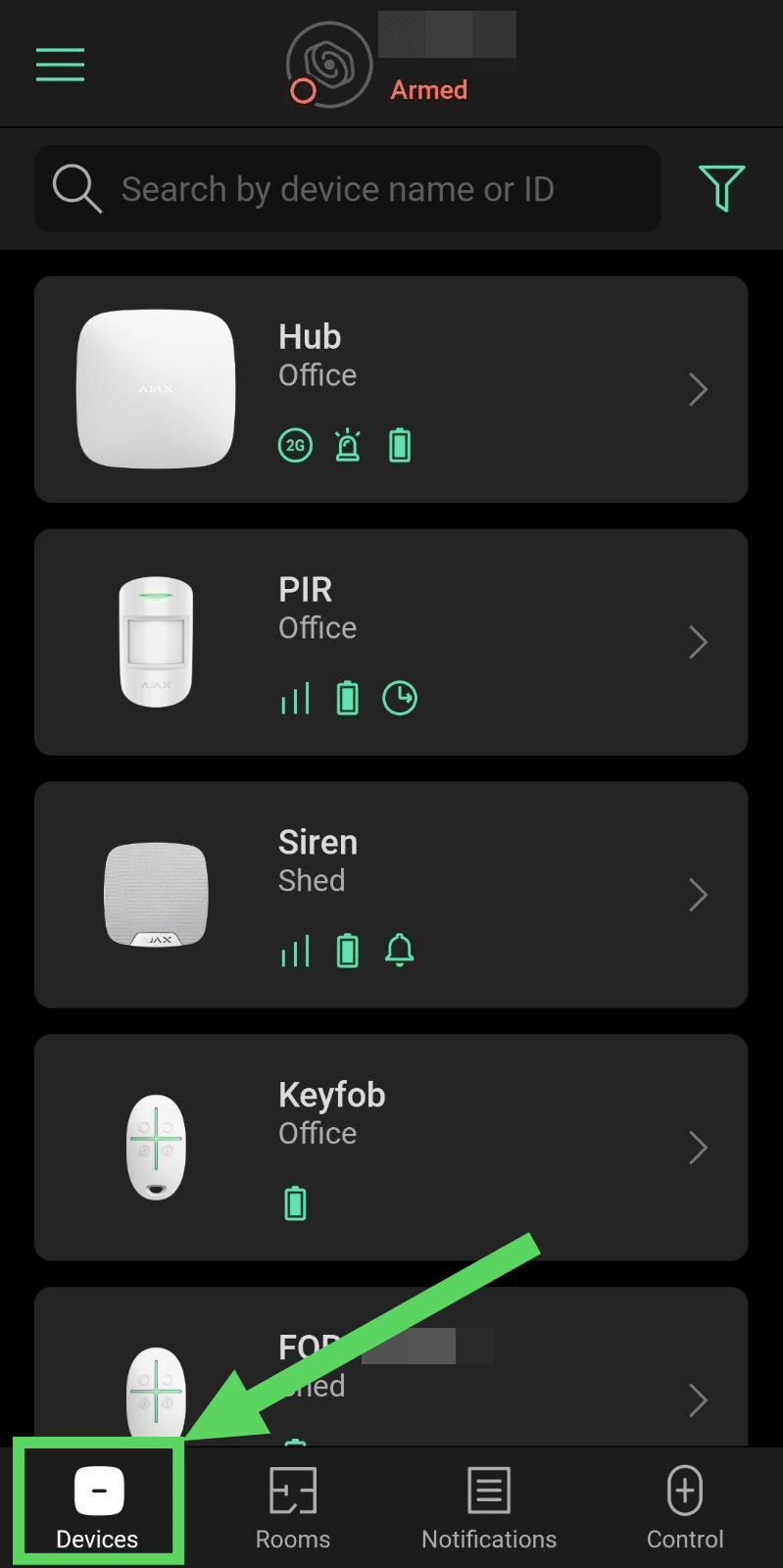
2. The Devices Tab 🛡️
This is your System Dashboard. It lists every piece of hardware installed in your home or business (Hub, Motion Detectors, Door Contacts, etc.).
- Check Status: See if a door is open, check the room temperature, or view battery levels.
- Settings: Tap on an individual device to change its name or adjust its sensitivity.
- Malfunctions: If you see a red badge here, it means a device needs attention (like a low battery).
2.1. Device Icons
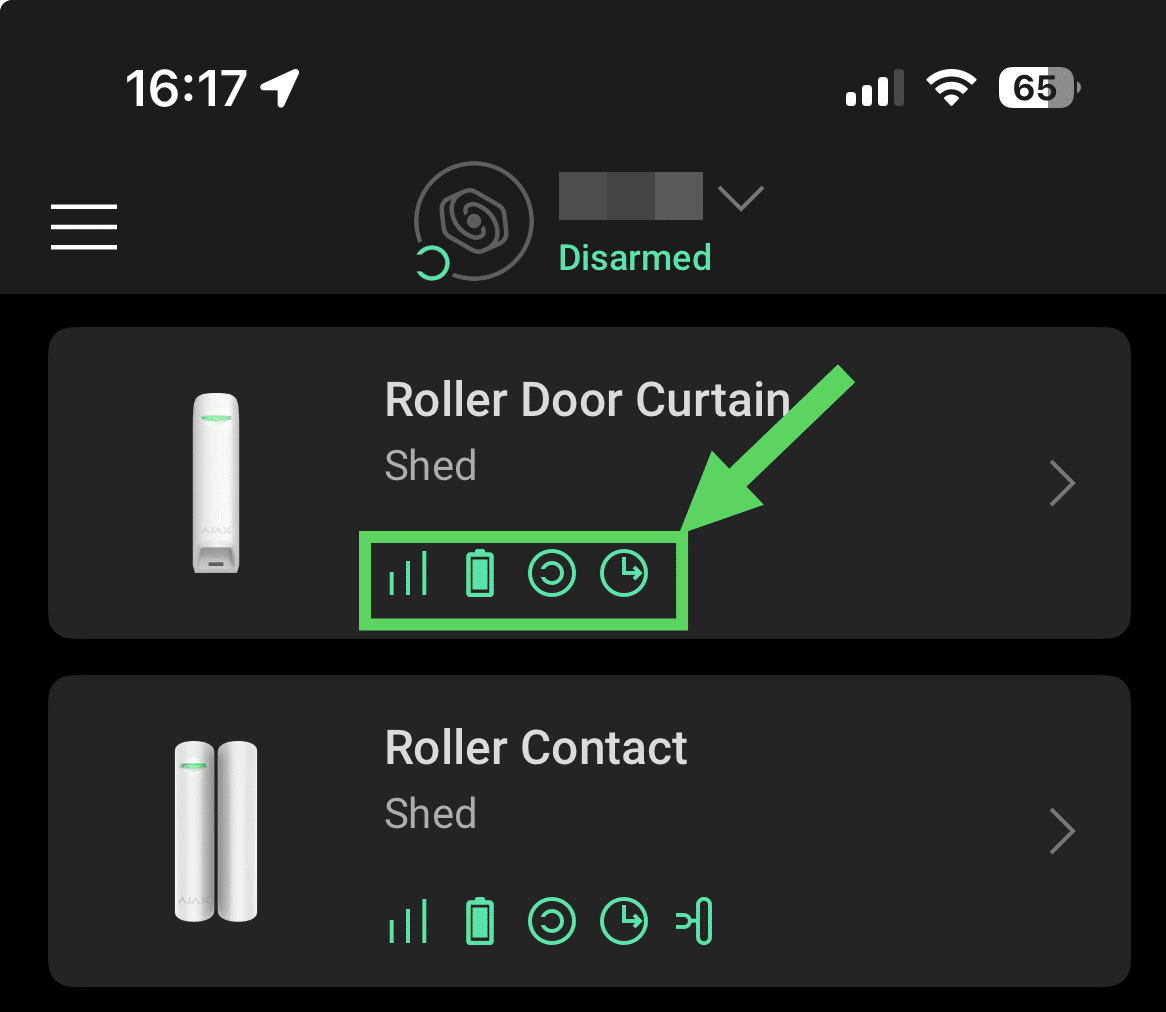
Below is an explanation of some of the status icons that can be seen beside each Device:
Stacked Bars - The strength of the "Jeweller" connection.
Battery silhouette - Green is healthy; Red/Empty requires a battery swap.
Night Mode - The device is part of the "Partial Armed" group.
Exit Delay - A countdown is active for this specific sensor.
Tip
A full list of icons with explanations can be found when selecting a device in the Devices section
3. The Rooms Tab 🏠
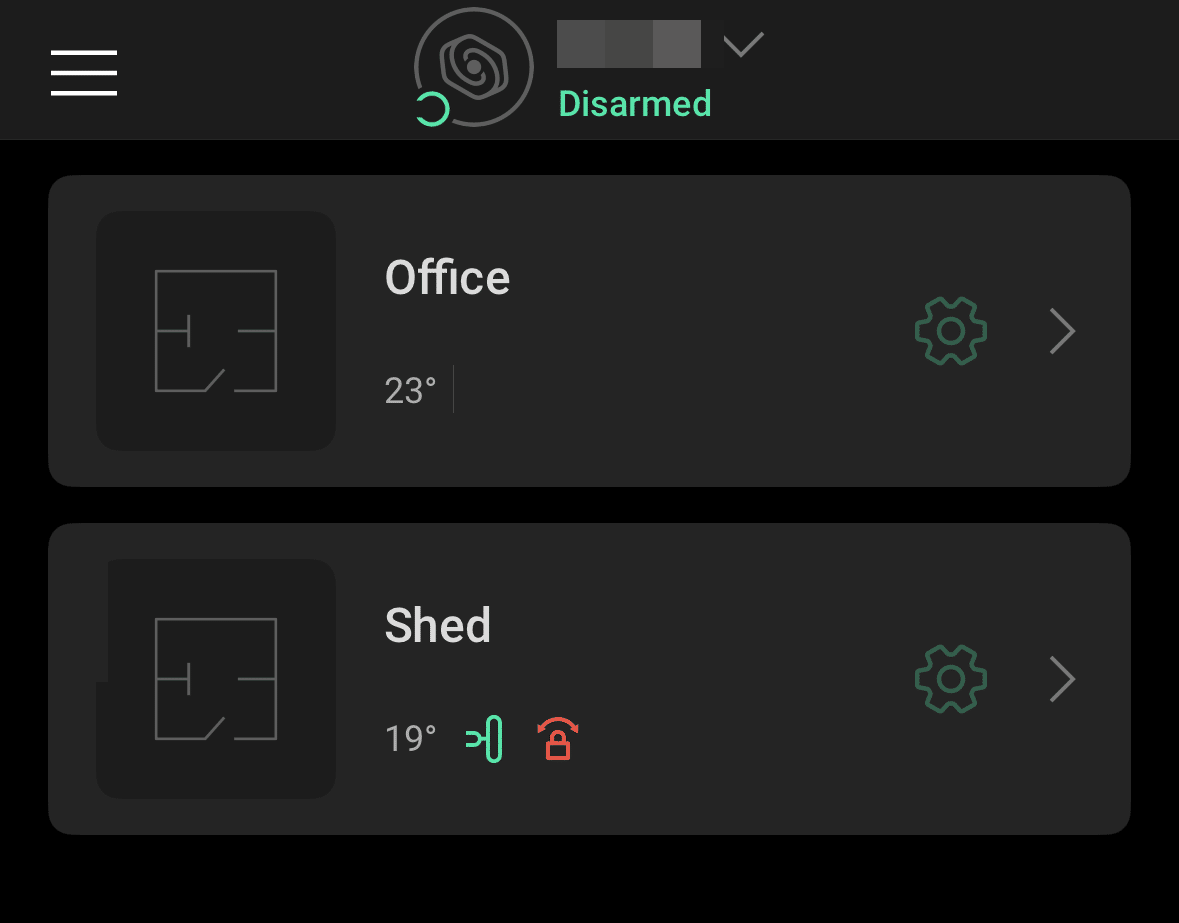
Ajax can organise devices by the room they are in.
Note
For home users, it will rarely be necessary to create more than one room.
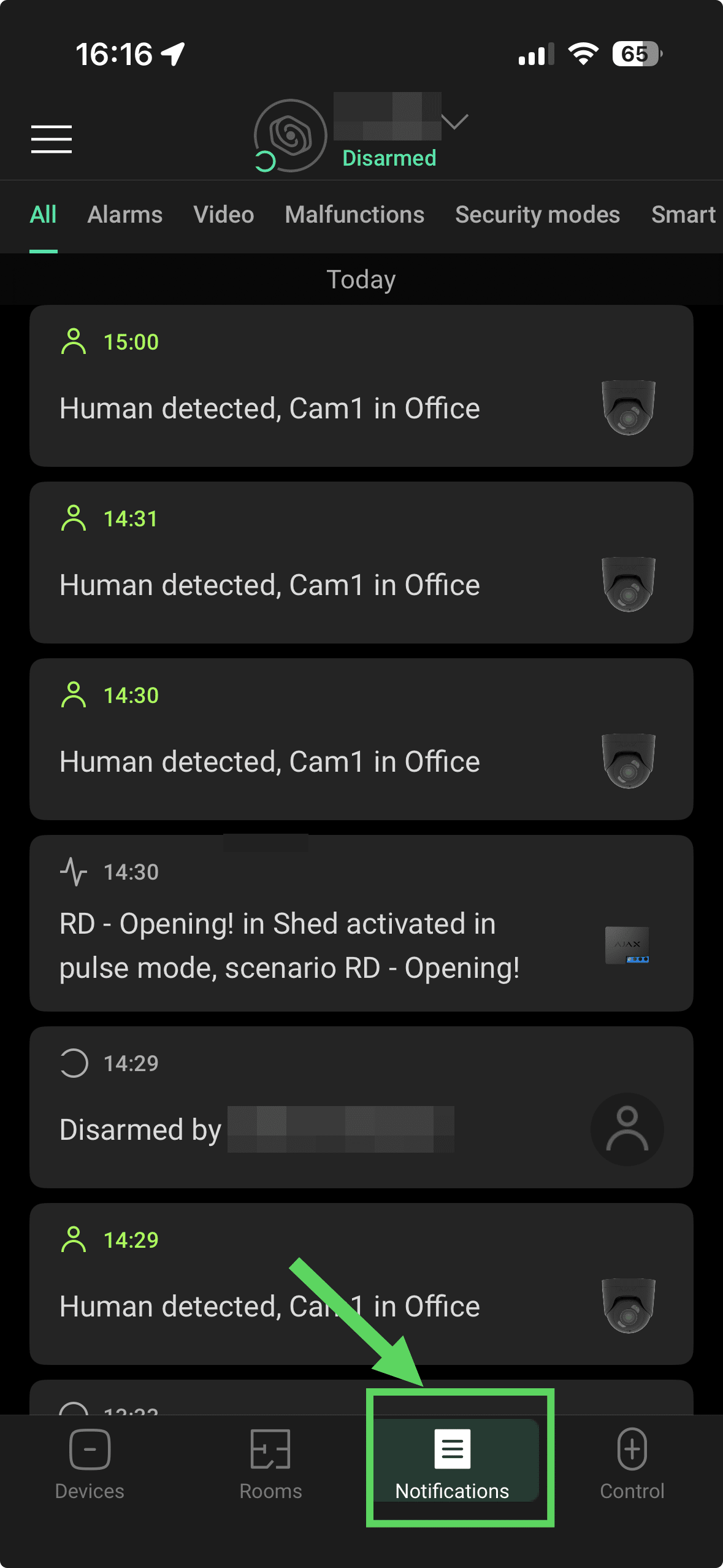
4. The Notifications Tab 🔔
Think of this as your Security Log. It records everything that happens in your system in chronological order.
- History: See exactly what time the system was armed or disarmed and by which user.
- Alarms: Any security breaches will be highlighted here in red so they are easy to find.
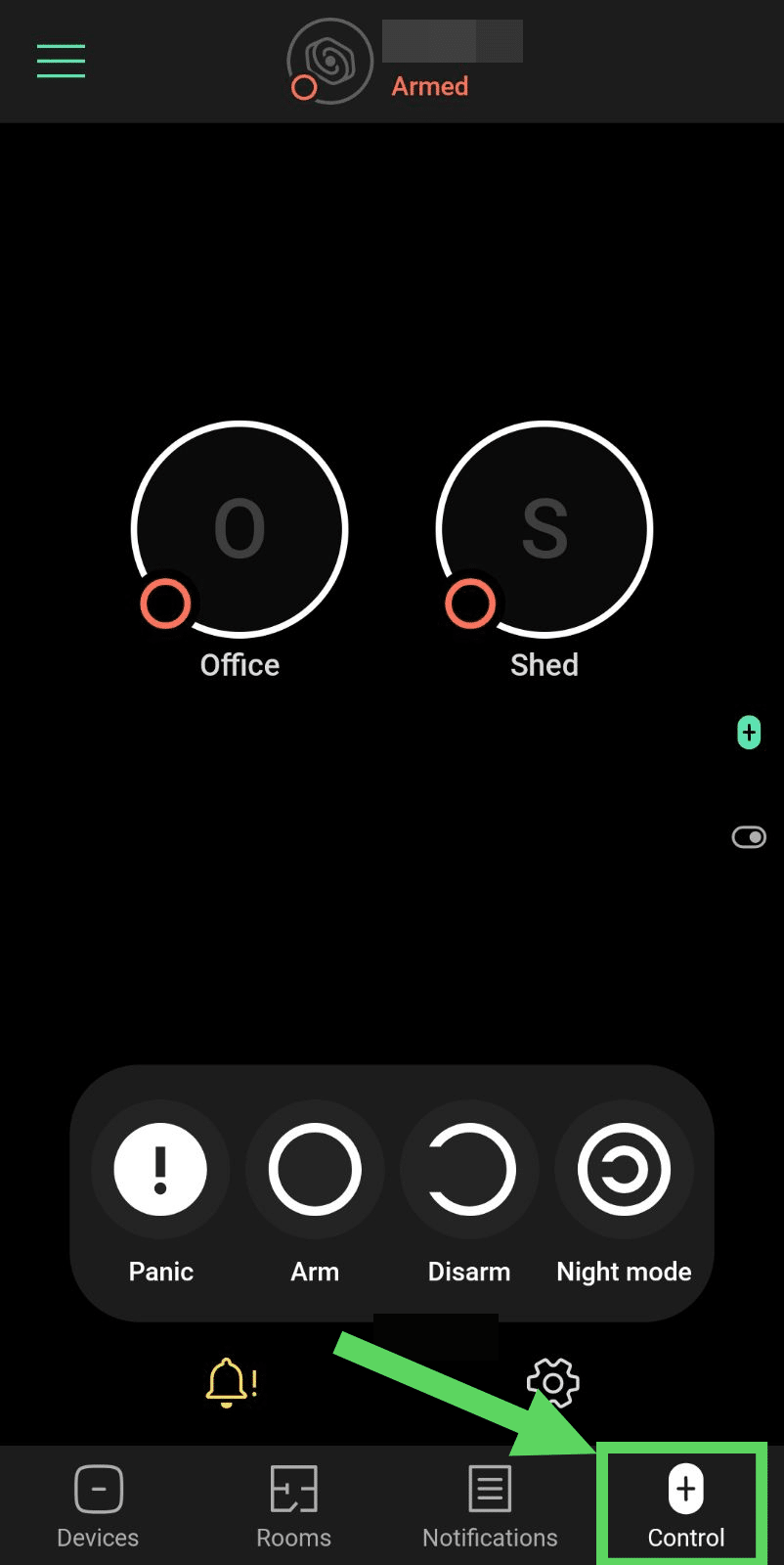
5. The Control Tab 🔘
This is the screen you will likely use the most. It features:
- The Control Wheel, which allows you to change the state of your alarm.
- Panic Button (Exclamation Mark): Instantly triggers the siren and alerts all users of an emergency.
- Arm (Closed Circle): Turns the full system on.
- Disarm (Open Circle): Turns the system off.
- Night Mode (Moon Icon): Partially arms the system (e.g., just the perimeter while you are inside).